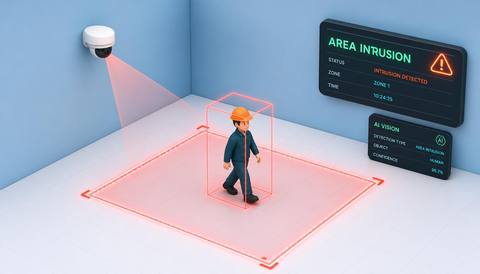
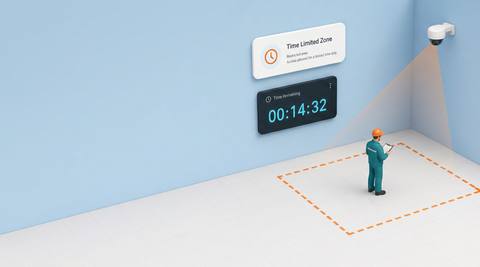
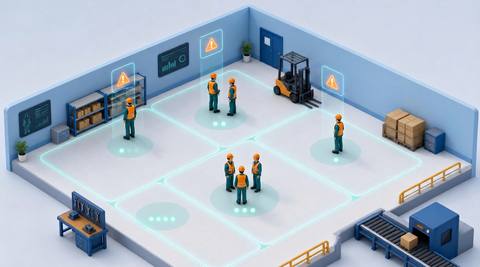
Download IVISION Catalog
 01
01Define the controlled space
Survey the physical area and its camera projection.


A defined camera zone can focus review on a service enclosure, stockroom or controlled working area. Validate the relevant object classes and event criteria, then use operational records to establish whether visible access was permitted.
Confirm detector support, camera suitability and the proposed event workflow before deployment.
Review restricted-zone coverage
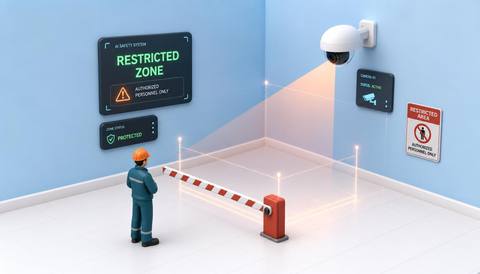
 Without IVISIONStandard CCTV feed
 With IVISIONIllustrative event overlay
The Process
Review presence in the space you need to control Help operators check activity where access requires extra scrutiny.
01Survey the physical area and its camera projection.
 02
02Test supported classes and normal authorized activity.
 03
03Check the image alongside access or work records.
 04
04Arrange a proportionate site check under the local procedure.
Explore Your Options
| Dimension |  Restricted Zone Monitoring Restricted Zone Monitoring |  Area Intrusion Area Intrusion |
|---|---|---|
| Observation |  Supported people or objects within a defined image area. Supported people or objects within a defined image area. | A supported object moving across a defined entry boundary. |
| Event criteria | A validated presence condition occurs inside the selected zone. | The validated direction or entry condition is met. |
| Monitoring setup | Confirm zone geometry, relevant classes and operating context. | Confirm object classes, boundary position and relevant operating periods. |
| What it cannot establish | Presence does not establish identity, access permission or malicious intent. | A crossing does not prove criminal intent or establish access permission. |
| Practical outcome | Help operators check activity where access requires extra scrutiny. | Help security teams review where and when a boundary was crossed. |
Illustrative demonstration
Example footage and simulated events explain the review workflow. They do not measure detector performance.
 Sites overview
No matching events.
EXPLORE WHAT’S POSSIBLE
01 / 04 · RESTRICTED ZONE MONITORING
Access depends on the current work plan.
Example event: A person appears inside the monitored zone.
Operator response: Verify the task with the supervisor.
Practical value: Focus review on the controlled workspace.
Discuss this capability02 / 04 · RESTRICTED ZONE MONITORING
Visitors may enter an operational area.
Example event: A supported presence is observed near stock storage.
Operator response: Staff check the situation without assuming unauthorized intent.
Practical value: Support a clear access handoff.
Discuss this capability03 / 04 · RESTRICTED ZONE MONITORING
Operators need context for activity at a controlled asset.
Example event: Activity appears within the defined enclosure.
Operator response: Compare it with scheduled work and arrange a qualified check.
Practical value: Connect an observation with operational context.
Discuss this capability04 / 04 · RESTRICTED ZONE MONITORING
Show the controlled area without relying on a narrow partial view.
Visibility: Occlusion and perspective can place an object ambiguously near a boundary.
Configuration: Validate supported classes and zone-event integration.
Privacy: Restrict access to footage of controlled areas.
Human review: Confirm permission independently of visual presence.
Discuss this capabilityFrequently asked questions
Observe supported activity inside a camera-defined restricted area.
A zone observation does not establish authorization; use a separately validated access process.
Confirm supported zone controls and validate their geometry in the proposed system.
No. Scheduled work and permitted access require contextual review.
No. Only sufficiently visible activity can be assessed.
Find your fit
Help operators check activity where access requires extra scrutiny. For Security supervisors, Site operations managers.
Workflow to discuss
Restricted Zone Monitoring + Focus review on selected controlled spaces.
Discuss a camera view, a monitoring question and the review process your team needs.