
 Download IVISION Catalog
 01
01Survey the hazard boundary
Have qualified staff define the physical area and camera limits.


A camera can help flag visible entry at a hazardous-area boundary when the rule is supported and validated. The site determines the hazard and required controls; an image observation does not replace barriers, permits or safety-rated systems.
Confirm detector support, camera suitability and the proposed event workflow before deployment.
Discuss hazardous-area observations
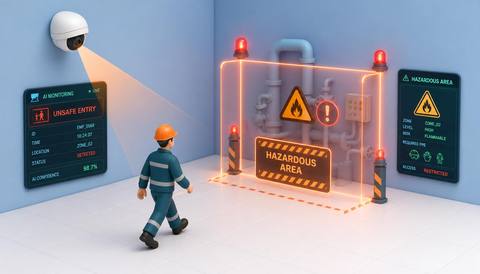
 Without IVISIONStandard CCTV feed
 With IVISIONIllustrative event overlay
The Process
Support the site’s established safety response Give safety teams a location-specific cue for checking an exposure concern.
01Have qualified staff define the physical area and camera limits.
 02
02Validate the supported crossing rule during representative operations.
 03
03Check the visible entry against permits and current work conditions.
 04
04The responsible team follows established controls and escalation.
Explore Your Options
| Dimension |  unsafe entry into hazardous areas unsafe entry into hazardous areas |  Restricted Zone Monitoring Restricted Zone Monitoring |
|---|---|---|
| Observation |  A supported person or object crossing into a site-designated area. A supported person or object crossing into a site-designated area. | Supported people or objects within a defined image area. |
| Event criteria | A validated entry condition occurs at the monitored boundary. | A validated presence condition occurs inside the selected zone. |
| Monitoring setup | Define the hazard area with qualified staff and agree the response procedure. | Confirm zone geometry, relevant classes and operating context. |
| What it cannot establish | Video cannot determine all hazards, actual exposure or whether entry is safe. | Presence does not establish identity, access permission or malicious intent. |
| Practical outcome | Give safety teams a location-specific cue for checking an exposure concern. | Help operators check activity where access requires extra scrutiny. |
Illustrative demonstration
Example footage and simulated events explain the review workflow. They do not measure detector performance.
 Sites overview
No matching events.
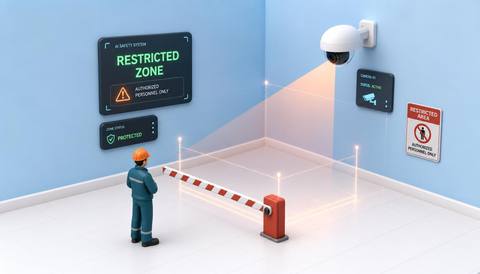 Area Monitoring
Review general activity within the controlled area.
Read More
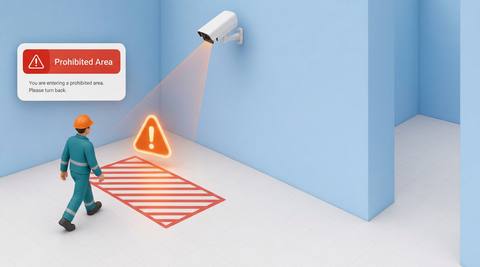 Area Monitoring
Observe movement near the boundary before entry.
Read More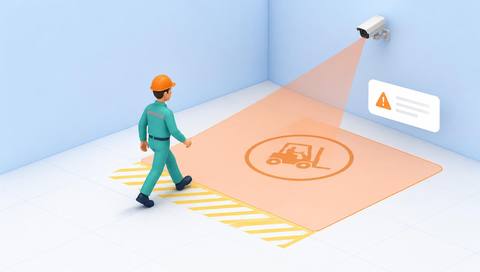 Area Monitoring
Review a specific separation concern in vehicle zones.
Read MoreEXPLORE WHAT’S POSSIBLE
01 / 04 · UNSAFE ENTRY INTO HAZARDOUS AREAS
Access needs coordination with the operating state.
Example event: A person crosses the monitored boundary.
Operator response: Use the approved machinery-safety response.
Practical value: Provide a location cue for trained review.
Discuss this capability02 / 04 · UNSAFE ENTRY INTO HAZARDOUS AREAS
Site activity can approach an exclusion area.
Example event: A visible entry occurs at the designated edge.
Operator response: The lifting team follows its established exclusion procedure.
Practical value: Support situational awareness around a controlled task.
Discuss this capability03 / 04 · UNSAFE ENTRY INTO HAZARDOUS AREAS
Temporary hazards change during work.
Example event: A candidate entry appears inside the agreed zone.
Operator response: Check permits and coordinate with the work supervisor.
Practical value: Connect entry review with the active work plan.
Discuss this capability04 / 04 · UNSAFE ENTRY INTO HAZARDOUS AREAS
Cover likely approaches without placing equipment in unsafe locations.
Visibility: Blind spots and occlusion can hide an entry.
Configuration: Validate detector support; no safety-rated control or automatic interlock is implied.
Privacy: Use footage for the defined safety purpose with appropriate access controls.
Human review: Qualified staff determine hazard, exposure and necessary action.
Discuss this capabilityFrequently asked questions
Surface candidate entry into an area designated hazardous by the site.
No. Physical and procedural controls remain necessary.
An automatic safety interlock is not established and must not be assumed.
Not from zone presence alone; operating state and hazard assessment need separate reliable information.
No. Visibility and model limitations must be included in the risk assessment.
Find your fit
Give safety teams a location-specific cue for checking an exposure concern. For Safety coordinators, Plant supervisors.
Workflow to discuss
unsafe entry into hazardous areas + Highlight visible entry at a defined hazard boundary.
Discuss a camera view, a monitoring question and the review process your team needs.





