
 Download IVISION Catalog
 01
01Set the placement reference
Use the approved fixture or process position.


An item can be the correct type but sit outside its intended location. A validated visual comparison can flag a candidate placement error, with physical tolerances and downstream suitability confirmed through the appropriate engineering method.
Confirm detector support, camera suitability and the proposed event workflow before deployment.
Validate position checks
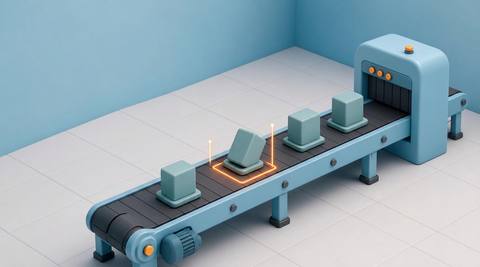
 Without IVISIONStandard CCTV feed
 With IVISIONIllustrative event overlay
The Process
Review position against a defined reference Help operators investigate placement that may affect the next process step.
01Use the approved fixture or process position.
 02
02Test normal variation and relevant placement errors.
 03
03Check camera alignment and product presentation.
 04
04An operator follows the approved positioning procedure.
Explore Your Options
| Dimension |  Incorrect-position detection Incorrect-position detection |  Product orientation verification Product orientation verification |
|---|---|---|
| Observation |  The visible location of a product or component relative to a reference area. The visible location of a product or component relative to a reference area. | Visible facing, rotation or directional features of a product. |
| Event criteria | A supported position comparison falls outside the validated permitted region. | A supported comparison indicates a mismatch with the expected orientation. |
| Monitoring setup | Define the reference, permitted variation and inspection timing. | Define permitted rotations, variants and distinguishing features. |
| What it cannot establish | Image coordinates do not establish physical tolerances without calibration. | Symmetric or hidden features may make orientation impossible to determine from one view. |
| Practical outcome | Help operators investigate placement that may affect the next process step. | Help teams catch orientation mismatches before assembly, packing or transfer. |
Illustrative demonstration
Example footage and simulated events explain the review workflow. They do not measure detector performance.
 Sites overview
No matching events.
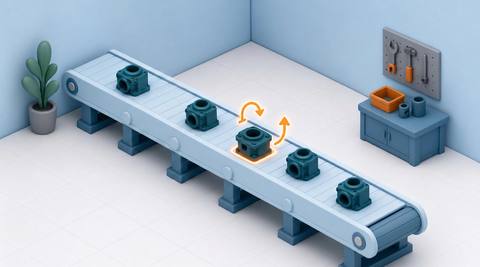 Production Monitoring
Check facing or rotation separately from location.
Read More
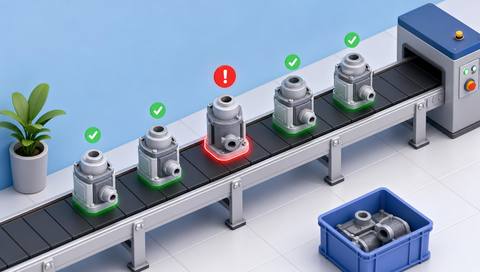 Production Monitoring
Review placement within the full assembled state.
Read More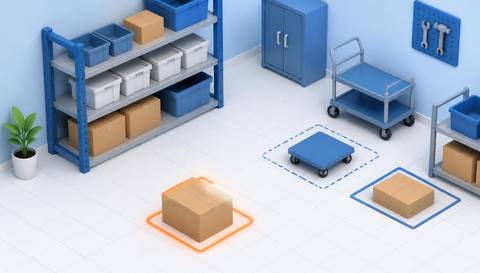 Production Monitoring
Apply placement review to larger site storage areas.
Read MoreEXPLORE WHAT’S POSSIBLE
01 / 04 · INCORRECT-POSITION DETECTION
A part may sit outside the intended seat.
Example event: The visible location differs from the reference.
Operator response: Inspect seating and reposition under the work instruction.
Practical value: Focus a placement check.
Discuss this capability02 / 04 · INCORRECT-POSITION DETECTION
An item can intrude into the next pack location.
Example event: A supported position check flags an offset.
Operator response: Verify the tray arrangement before closure.
Practical value: Support orderly packing.
Discuss this capability03 / 04 · INCORRECT-POSITION DETECTION
Placement varies at a handoff point.
Example event: The product falls outside the validated image region.
Operator response: Check the fixture and transfer setup.
Practical value: Provide evidence for a positioning investigation.
Discuss this capability04 / 04 · INCORRECT-POSITION DETECTION
Mount the camera relative to a stable fixture reference.
Visibility: Perspective and camera movement can resemble product displacement.
Configuration: Validate any physical tolerance through calibrated measurement.
Privacy: Keep capture focused on the inspection location.
Human review: Operators verify seating and suitability for the next step.
Discuss this capabilityFrequently asked questions
Compare a visible product or component location with a defined permitted position.
Only if a calibrated method has been separately validated.
No. An item may occupy the right place while facing the wrong way.
The reference must be revalidated or reliably located by a supported method.
No. Other assembly and functional requirements remain separate.
Find your fit
Help operators investigate placement that may affect the next process step. For Assembly supervisors, Automation engineers.
Workflow to discuss
Incorrect-position detection + Target location independently of part identity.
Discuss a camera view, a monitoring question and the review process your team needs.





