
 Download IVISION Catalog
 01
01Map intended placement
Confirm the physical layout and camera view with the responsible team.


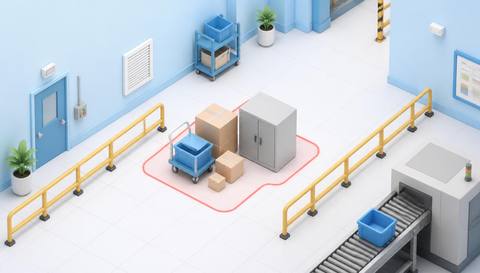
An object can be recognizable yet still be in the wrong place. A supported placement workflow compares its visible position with a site-defined area so staff can verify the reason and correct it if necessary.
Confirm detector support, camera suitability and the proposed event workflow before deployment.
Review placement rules

 Without IVISIONStandard CCTV feed
 With IVISIONIllustrative event overlay
The Process
Find items outside their intended areas Help teams check storage and staging against the agreed site arrangement.
01Confirm the physical layout and camera view with the responsible team.
 02
02Validate local objects and boundaries in perspective.
 03
03Check whether temporary work explains the placement.
 04
04Assign a safe move or update an approved layout through the normal process.
Explore Your Options
| Dimension |  Improper object placement detection Improper object placement detection |  Obstruction detection Obstruction detection |
|---|---|---|
| Observation |  An object’s visible location relative to an approved placement zone. An object’s visible location relative to an approved placement zone. | An object overlaps a defined passage or clearance area in the image. |
| Event criteria | A supported object falls outside, or inside a prohibited part of, the defined area. | A supported observation occupies the selected area under validated criteria. |
| Monitoring setup | Agree object categories, allowed zones and handling of temporary work. | Define the passage, permitted temporary activity and review timing. |
| What it cannot establish | The image does not establish ownership, load limits or precise physical clearance without calibration. | Image overlap alone does not prove legal clearance, accessibility compliance or emergency-route safety. |
| Practical outcome | Help teams check storage and staging against the agreed site arrangement. | Direct staff to inspect routes that may be blocked. |
Illustrative demonstration
Example footage and simulated events explain the review workflow. They do not measure detector performance.
 Sites overview
No matching events.
 Facility Monitoring
Check whether misplaced objects also occupy required passages.
Read More
 Facility Monitoring
Review pallets that remain outside the normal handling flow.
Read More Facility Monitoring
Inspect product placement at a controlled production checkpoint.
Read MoreEXPLORE WHAT’S POSSIBLE
01 / 04 · IMPROPER OBJECT PLACEMENT DETECTION
Loads may be left between marked bays.
Example event: A pallet lies outside the designated image area.
Operator response: Verify bay allocation and arrange safe repositioning.
Practical value: Support predictable staging.
Discuss this capability02 / 04 · IMPROPER OBJECT PLACEMENT DETECTION
Mobile equipment can spread into shared access.
Example event: A cart appears beyond its approved storage area.
Operator response: Staff confirm availability needs and restore placement.
Practical value: Keep storage arrangements usable.
Discuss this capability03 / 04 · IMPROPER OBJECT PLACEMENT DETECTION
Tools may be left beside their assigned location.
Example event: A supported item is observed outside its placement zone.
Operator response: Check the task and return it appropriately.
Practical value: Support organized handoffs.
Discuss this capability04 / 04 · IMPROPER OBJECT PLACEMENT DETECTION
Keep zone markings and relevant object positions visible.
Visibility: Perspective, stacked items and occlusion can make boundary overlap ambiguous.
Configuration: Confirm object support and validate each placement zone.
Privacy: Use placement observations for the defined operational purpose.
Human review: Staff verify whether the layout or the object position needs correction.
Discuss this capabilityFrequently asked questions
Identify a visible object outside a defined permitted placement area.
No. The intended layout and supported criteria must be defined and validated.
A placement observation does not establish weight or structural capacity.
Review exceptions against the approved work plan before treating them as problems.
Only a separately validated calibrated method could support a physical tolerance claim.
Find your fit
Help teams check storage and staging against the agreed site arrangement. For Warehouse planners, Facilities coordinators.
Workflow to discuss
Improper object placement detection + Compare placement with an agreed layout.
Discuss a camera view, a monitoring question and the review process your team needs.





