
 Download IVISION Catalog
 01
01Prepare the view
Frame the complete waiting or approach area.


Waiting can be legitimate. Set the area and duration around a practical operational question, account for queues and appointments, and review why someone remains before deciding whether follow-up is needed.
Catalog workflow. Confirm detector availability, permitted use and event delivery for the proposed deployment. Website examples are illustrative.
Define a dwell threshold
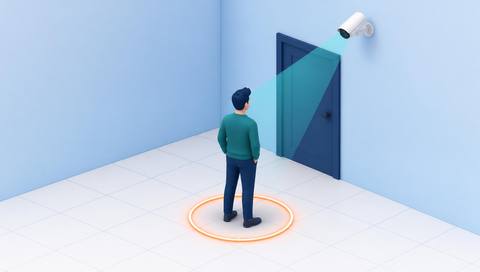
 Without IVISIONStandard CCTV feed
 With IVISIONIllustrative event overlay
The Process
Duration is a criterion, not a motive Focus review on specific dwell-time exceptions.
01Frame the complete waiting or approach area.
 02
02Validate track persistence and duration calculation.
 03
03Review the elapsed period with queue and appointment context.
 04
04Offer assistance or verify permission through the appropriate process.
Explore Your Options
| Dimension |  Loitering Detection Loitering Detection |  Dwell Time Analysis Dwell Time Analysis |
|---|---|---|
| Observation |  A person stays within a monitored boundary. A person stays within a monitored boundary. | A person track remains within a defined area. |
| Event criteria | Supported tracking exceeds the validated duration threshold. | Supported tracking links zone entry and exit or a qualified ongoing stay. |
| Monitoring setup | Confirm boundary, timing, re-entry handling and waiting exceptions. | Confirm boundary, track-gap policy and repeat visits. |
| What it cannot establish | Cannot establish intent, unauthorized status or continuous presence during track gaps. | Cannot establish interest, satisfaction or continuous presence during gaps. |
| Practical outcome | Help operators review prolonged presence in context. | Help teams distinguish brief passages from longer stays. |
Illustrative demonstration
Example footage and simulated events explain the review workflow. They do not measure detector performance.
 Sites overview
No matching events.
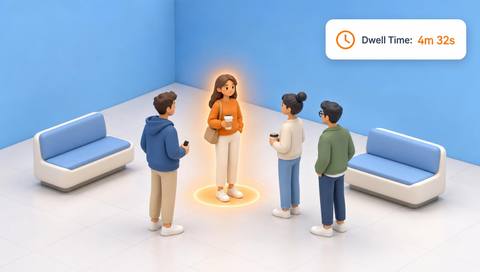 People Events
Analyze duration patterns without security assumptions.
Read More
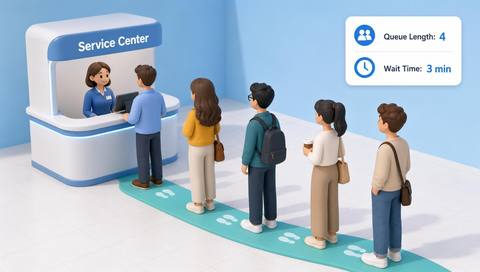 People Events
Explain prolonged presence caused by service queues.
Read More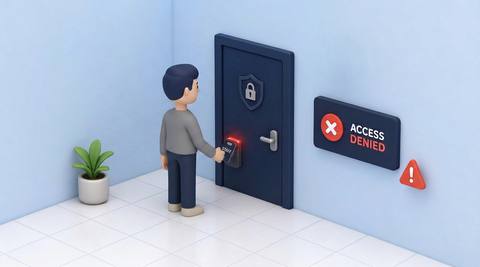 People Events
Check permission independently of duration.
Read MoreEXPLORE WHAT’S POSSIBLE
01 / 04 · LOITERING DETECTION
Guests may wait for a host.
Example event: Presence exceeds the configured interval.
Operator response: Check appointment and offer help.
Practical value: Improves guest handling.
Discuss this capability02 / 04 · LOITERING DETECTION
Drivers wait for loading instructions.
Example event: A dwell threshold is crossed.
Operator response: Confirm dispatch status.
Practical value: Distinguishes operational waiting.
Discuss this capability03 / 04 · LOITERING DETECTION
A person may be lost.
Example event: Prolonged presence is observed.
Operator response: Provide assistance or check access context.
Practical value: Supports proportionate response.
Discuss this capability04 / 04 · LOITERING DETECTION
Show entry and exit from the zone.
Visibility: Occlusion can interrupt timing.
Configuration: Verify duration logic and track continuity.
Privacy: Limit retention and avoid profiling people by appearance.
Human review: Check the reason for waiting.
Discuss this capabilityFrequently asked questions
Flags a person remaining within a defined zone longer than an agreed duration.
No. Duration alone says nothing about intent.
Yes. Define permitted waiting and queue exceptions.
Duration may become uncertain; review the gap.
No. Set criteria around each area’s purpose.
Find your fit
Help operators review prolonged presence in context. For Security desk teams, Facility managers.
Workflow to discuss
Loitering Detection + Use explicit time criteria.
Discuss a camera view, a monitoring question and the review process your team needs.





