Download IVISION Catalog
 01
01Prepare the view
Define the area and occupancy method.


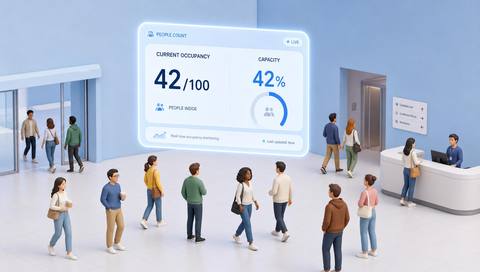
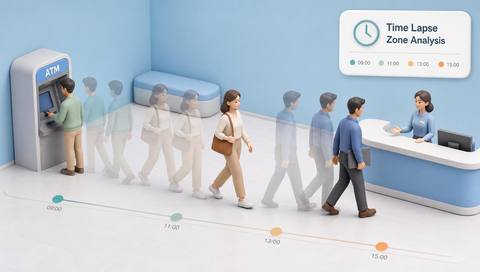
Period-level occupancy can reveal peaks and quiet intervals, but only when the underlying estimates and sampling are comparable. Define the interval and baseline, and do not treat missing observations as zero occupancy.
Catalog workflow. Confirm detector availability, permitted use and event delivery for the proposed deployment. Website examples are illustrative.
Assess occupancy time series
 Without IVISIONStandard CCTV feed
 With IVISIONIllustrative event overlay
The Process
Keep interval gaps and measurement changes visible Plan resources around qualified occupancy patterns.
01Define the area and occupancy method.
 02
02Validate interval sampling and aggregation.
 03
03Review peaks, averages and missing periods distinctly.
 04
04Compare with schedules before changing resources.
Explore Your Options
| Dimension |  Time-lapse occupancy analysis Time-lapse occupancy analysis |  Time Lapse Zone Analysis Time Lapse Zone Analysis |
|---|---|---|
| Observation |  A sequence of occupancy estimates for the same area. A sequence of occupancy estimates for the same area. | Changes in activity or occupancy within one defined area. |
| Event criteria | Supported aggregation produces interval-level values. | Supported aggregation summarizes observations at agreed intervals. |
| Monitoring setup | Confirm sampling, averaging/peak method, time zone and gaps. | Confirm period, sampling, time zone and missing-data handling. |
| What it cannot establish | Cannot prove exact headcount or continuous absence between samples. | Cannot prove that unrecorded intervals were inactive. |
| Practical outcome | Help planners compare presence patterns across the day or shift. | Help operators compare how a space changes over a shift or day. |
Illustrative demonstration
Example footage and simulated events explain the review workflow. They do not measure detector performance.
 Sites overview
No matching events.
EXPLORE WHAT’S POSSIBLE
01 / 04 · TIME-LAPSE OCCUPANCY ANALYSIS
Average use hides short peaks.
Example event: A peak interval exceeds the daily average.
Operator response: Review both measures.
Practical value: Improves planning interpretation.
Discuss this capability02 / 04 · TIME-LAPSE OCCUPANCY ANALYSIS
Demand changes around meal times.
Example event: Occupancy rises in recurring intervals.
Operator response: Coordinate service schedules.
Practical value: Supports period planning.
Discuss this capability03 / 04 · TIME-LAPSE OCCUPANCY ANALYSIS
A camera outage creates a gap.
Example event: One interval has no data.
Operator response: Mark it unavailable rather than empty.
Practical value: Preserves trend accuracy.
Discuss this capability04 / 04 · TIME-LAPSE OCCUPANCY ANALYSIS
Keep the monitored area stable.
Visibility: Lighting changes can affect counts over time.
Configuration: Verify aggregation and timestamp handling.
Privacy: Prefer aggregate series over named histories.
Human review: Check coverage before interpreting a trend.
Discuss this capabilityFrequently asked questions
Summarizes occupancy estimates at defined intervals over a selected period.
No. It may mean no observation was available.
No. Label each measure clearly.
Only with appropriate normalization and context.
No. Occupancy estimates and employee attendance are different.
Find your fit
Help planners compare presence patterns across the day or shift. For Facility planners, Service operations teams.
Workflow to discuss
Time-lapse occupancy analysis + Compare occupancy by period.
Discuss a camera view, a monitoring question and the review process your team needs.