Download IVISION Catalog
 01
01Prepare the view
Define the task zone and eligible workforce.


Verify how workers are distinguished from visitors and whether the task is active. Counts can support a coverage check, but breaks, hidden duties and required skills must be reviewed before changing staffing.
Catalog workflow. Confirm detector availability, permitted use and event delivery for the proposed deployment. Website examples are illustrative.
Assess worker-count monitoring
 Without IVISIONStandard CCTV feed
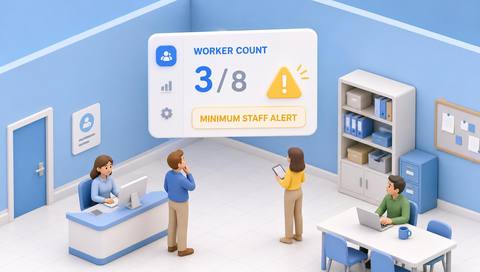
 With IVISIONIllustrative event overlay
The Process
A range is useful only when the population is defined Make staffing-range checks operationally meaningful.
01Define the task zone and eligible workforce.
 02
02Validate counting and visitor exclusion.
 03
03Compare estimates with the current staffing plan.
 04
04Ask the supervisor to verify actual coverage and skills.
Explore Your Options
| Dimension |  Minimum and maximum worker monitoring Minimum and maximum worker monitoring |  Min and max worker-count alerts Min and max worker-count alerts |
|---|---|---|
| Observation |  Estimated workers in a defined active work area. Estimated workers in a defined active work area. | Estimated workers present within a defined work zone. |
| Event criteria | Supported counting produces a value for comparison with the task range. | A supported count falls outside the agreed task range. |
| Monitoring setup | Confirm worker definition, range, schedule and temporary tasks. | Confirm worker classification, schedule, breaks and thresholds. |
| What it cannot establish | Cannot prove competence, workload or safe staffing from numbers alone. | Cannot establish qualifications, productivity or safe staffing from count alone. |
| Practical outcome | Help supervisors review staffing coverage with the right context. | Help supervisors check whether visible presence matches the operational plan. |
Illustrative demonstration
Example footage and simulated events explain the review workflow. They do not measure detector performance.
 Sites overview
No matching events.
EXPLORE WHAT’S POSSIBLE
01 / 04 · MINIMUM AND MAXIMUM WORKER MONITORING
A task pauses while workers remain nearby.
Example event: Count differs from the active-task target.
Operator response: Check task status before interpreting it.
Practical value: Keeps ranges relevant.
Discuss this capability02 / 04 · MINIMUM AND MAXIMUM WORKER MONITORING
Drivers mix with loading staff.
Example event: The count overstates workers.
Operator response: Validate classification and assignments.
Practical value: Improves coverage assessment.
Discuss this capability03 / 04 · MINIMUM AND MAXIMUM WORKER MONITORING
Breaks reduce visible presence.
Example event: Count falls below the planned range.
Operator response: Review break coverage.
Practical value: Supports shift coordination.
Discuss this capability04 / 04 · MINIMUM AND MAXIMUM WORKER MONITORING
See the full task zone.
Visibility: Equipment can hide personnel.
Configuration: Verify worker classification and range comparison.
Privacy: Prefer aggregate staffing metrics.
Human review: Confirm task status and required competencies.
Discuss this capabilityFrequently asked questions
Monitors estimated worker presence against a defined minimum and maximum for an active task area.
No. The worker population must be defined and validated.
The requirement may change; verify configuration and execution.
No. Skills, workload and procedures also matter.
Monitoring supplies the measure; notification delivery is a separate verified workflow.
Find your fit
Help supervisors review staffing coverage with the right context. For Shift supervisors, Operations planners.
Workflow to discuss
Minimum and maximum worker monitoring + Define the worker population.
Discuss a camera view, a monitoring question and the review process your team needs.