Download IVISION Catalog
 01
01Prepare the view
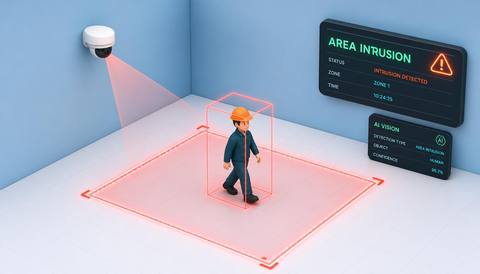
Define the zone and separate monitoring questions.


Define whether the question is occupancy, movement or a particular supported event. Validate each input and avoid combining them into an unexplained activity score that obscures coverage or task context.
Catalog workflow. Confirm detector availability, permitted use and event delivery for the proposed deployment. Website examples are illustrative.
Define zone observations
 Without IVISIONStandard CCTV feed
 With IVISIONIllustrative event overlay
The Process
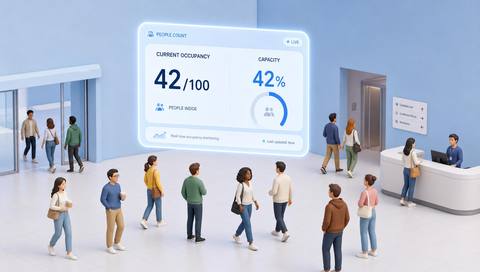
Someone being there does not explain what is happening Make zone-level observations easier to interpret.
01Define the zone and separate monitoring questions.
 02
02Validate occupancy and selected event inputs independently.
 03
03Review each observation with source and time context.
 04
04Check the relevant task or space condition with its owner.
Explore Your Options
| Dimension |  Zone occupancy and activity monitoring Zone occupancy and activity monitoring |  Intelligent area and zone monitoring Intelligent area and zone monitoring |
|---|---|---|
| Observation |  People present and separately defined activity observations. People present and separately defined activity observations. | The selected supported event within a camera-relative boundary. |
| Event criteria | Supported criteria identify occupancy or a selected event in the zone. | Validated analysis meets the agreed area criterion. |
| Monitoring setup | Confirm boundaries, event definitions, period and exclusions. | Confirm geometry, schedule, event types and exceptions. |
| What it cannot establish | Cannot establish productivity, intent or complete activity from presence alone. | Cannot observe hidden conditions or determine every activity within a boundary. |
| Practical outcome | Help operators separate an occupied area from a specific task event. | Make area monitoring purposeful rather than a generic watch-everything claim. |
Illustrative demonstration
Example footage and simulated events explain the review workflow. They do not measure detector performance.
 Sites overview
No matching events.
EXPLORE WHAT’S POSSIBLE
01 / 04 · ZONE OCCUPANCY AND ACTIVITY MONITORING
Presence is confused with production.
Example event: The zone is occupied but no task event is observed.
Operator response: Check the actual workflow.
Practical value: Avoids productivity assumptions.
Discuss this capability02 / 04 · ZONE OCCUPANCY AND ACTIVITY MONITORING
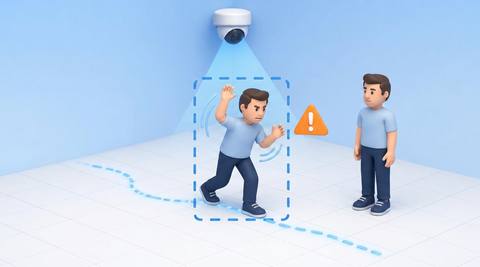
People pass through without using the room.
Example event: Movement occurs with brief occupancy.
Operator response: Review boundaries and duration.
Practical value: Clarifies space use.
Discuss this capability03 / 04 · ZONE OCCUPANCY AND ACTIVITY MONITORING
An event occurs during low occupancy.
Example event: A supported handling observation is recorded.
Operator response: Inspect the specific task evidence.
Practical value: Keeps activity review focused.
Discuss this capability04 / 04 · ZONE OCCUPANCY AND ACTIVITY MONITORING
Cover the relevant zone edges.
Visibility: Obstructions hide both presence and actions.
Configuration: Verify each selected analytic independently.
Privacy: Use aggregate presence where identity is unnecessary.
Human review: Check task context rather than inferring output.
Discuss this capabilityFrequently asked questions
Reviews presence and selected supported activity within a defined camera-visible zone.
No. A person may be waiting or stationary.
Only clearly defined validated measures should be used.
The requirement can differ; confirm supported configuration and execution.
No. Visibility and model limits remain.
Find your fit
Help operators separate an occupied area from a specific task event. For Facility supervisors, Operations planners.
Workflow to discuss
Zone occupancy and activity monitoring + Separate presence and action metrics.
Discuss a camera view, a monitoring question and the review process your team needs.