
 Download IVISION Catalog
 01
01Prepare the view
Map the current walkway against the camera view.


Define the walkway boundary and validate relevant obstructions. A camera can highlight an object in the route but cannot certify accessible width, emergency suitability or hidden hazards without physical verification.
Catalog workflow. Confirm detector availability, permitted use and event delivery for the proposed deployment. Website examples are illustrative.
Assess walkway monitoring
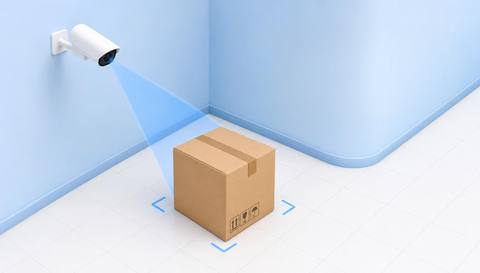
 Without IVISIONStandard CCTV feed
 With IVISIONIllustrative event overlay
The Process
Clearance depends on the real route and object Direct housekeeping checks to specific route obstructions.
01Map the current walkway against the camera view.
 02
02Validate object detection and overlap criteria.
 03
03Review the candidate with route and temporary-work context.
 04
04Have the responsible team inspect and clear it safely.
Explore Your Options
| Dimension |  Blocked-walkway detection Blocked-walkway detection |  Obstacle Detection Obstacle Detection |
|---|---|---|
| Observation |  An object overlaps a defined pedestrian route. An object overlaps a defined pedestrian route. | An object occupies an assessed clearance region. |
| Event criteria | Supported analysis detects a qualifying object in the walkway region. | A validated object indication meets the route-specific criterion. |
| Monitoring setup | Confirm boundaries, temporary work controls and relevant object sizes. | Confirm region, permitted transit and temporary staging exceptions. |
| What it cannot establish | Cannot certify legal clearance or safe passage from the image alone. | Video alone cannot determine every required clearance or object hazard. |
| Practical outcome | Help teams inspect and clear routes under the site procedure. | Help area owners locate objects that may obstruct intended movement. |
Illustrative demonstration
Example footage and simulated events explain the review workflow. They do not measure detector performance.
 Sites overview
No matching events.
Facility MonitoringReview general obstacles beyond marked walkways.
Read More
 Facility Monitoring
See whether obstructions cause route departures.
Read More Facility Monitoring
Address storage conditions contributing to encroachment.
Read MoreEXPLORE WHAT’S POSSIBLE
01 / 04 · BLOCKED-WALKWAY DETECTION
Pallets drift outside storage bays.
Example event: A pallet overlaps the walkway.
Operator response: Arrange authorized relocation.
Practical value: Supports route housekeeping.
Discuss this capability02 / 04 · BLOCKED-WALKWAY DETECTION
Deliveries temporarily narrow passage.
Example event: Boxes occupy part of the route.
Operator response: Check delivery controls and clearance.
Practical value: Keeps access usable.
Discuss this capability03 / 04 · BLOCKED-WALKWAY DETECTION
Work equipment is placed during a permit.
Example event: A tool cart blocks the boundary.
Operator response: Verify diversion and work controls.
Practical value: Distinguishes controlled work.
Discuss this capability04 / 04 · BLOCKED-WALKWAY DETECTION
Show the walkway edges and object footprint.
Visibility: Low objects and occlusion may be missed.
Configuration: Verify detector classes and boundary alignment.
Privacy: Avoid unnecessary personal identification.
Human review: Check actual clearance and safe removal.
Discuss this capabilityFrequently asked questions
Flags a visible object occupying part of a defined pedestrian walkway.
Not necessarily; inspect usable clearance and context.
No. Physical and regulatory requirements need separate assessment.
Check approved diversions and work controls.
Yes. Visibility and object support limit detection.
Find your fit
Help teams inspect and clear routes under the site procedure. For Facilities teams, Warehouse supervisors.
Workflow to discuss
Blocked-walkway detection + Locate route encroachment.
Discuss a camera view, a monitoring question and the review process your team needs.





