
 Download IVISION Catalog
 01
01Prepare the view
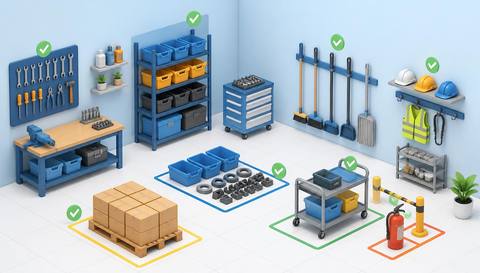
Map the current permitted storage regions.


Define permitted bays, clear routes and relevant placement conditions. Validate object visibility and current layouts, then inspect candidate exceptions; video cannot establish load ratings, material compatibility or every storage hazard.
Catalog workflow. Confirm detector availability, permitted use and event delivery for the proposed deployment. Website examples are illustrative.
Assess storage-area criteria
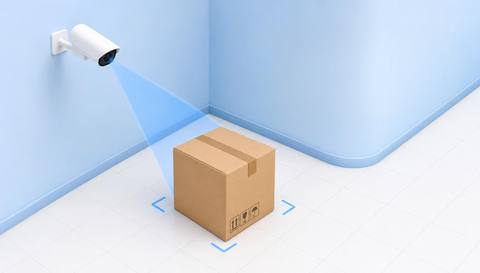
 Without IVISIONStandard CCTV feed
 With IVISIONIllustrative event overlay
The Process
A visible arrangement is not a complete compliance certificate Support practical storage and housekeeping checks.
01Map the current permitted storage regions.
 02
02Validate visible placement and object classes.
 03
03Review candidates with inventory and temporary-work context.
 04
04Have the responsible team inspect and correct placement safely.
Explore Your Options
| Dimension |  Storage-area compliance monitoring Storage-area compliance monitoring |  Blocked-walkway detection Blocked-walkway detection |
|---|---|---|
| Observation |  Materials or equipment placed relative to defined storage boundaries. Materials or equipment placed relative to defined storage boundaries. | An object overlaps a defined pedestrian route. |
| Event criteria | Supported analysis finds an agreed placement exception. | Supported analysis detects a qualifying object in the walkway region. |
| Monitoring setup | Confirm bay geometry, approved temporary storage and object classes. | Confirm boundaries, temporary work controls and relevant object sizes. |
| What it cannot establish | Cannot verify load capacity, substance compatibility or concealed conditions. | Cannot certify legal clearance or safe passage from the image alone. |
| Practical outcome | Help teams review whether materials remain within agreed storage boundaries. | Help teams inspect and clear routes under the site procedure. |
Illustrative demonstration
Example footage and simulated events explain the review workflow. They do not measure detector performance.
 Sites overview
No matching events.
 Facility Monitoring
Review storage encroachment onto pedestrian routes.
Read More Facility Monitoring
Connect placement checks to broader housekeeping.
Read MoreFacility MonitoringInspect objects that create general obstructions.
Read MoreEXPLORE WHAT’S POSSIBLE
01 / 04 · STORAGE-AREA COMPLIANCE MONITORING
Stock extends into an aisle.
Example event: A pallet crosses the bay boundary.
Operator response: Check and arrange safe repositioning.
Practical value: Supports route clearance.
Discuss this capability02 / 04 · STORAGE-AREA COMPLIANCE MONITORING
Temporary accumulation is planned.
Example event: Materials exceed the normal region.
Operator response: Verify the approved temporary arrangement.
Practical value: Keeps criteria contextual.
Discuss this capability03 / 04 · STORAGE-AREA COMPLIANCE MONITORING
Mixed items obscure access.
Example event: Placement conflicts with a defined clear zone.
Operator response: Inspect and reorganize through the site process.
Practical value: Improves access to stored equipment.
Discuss this capability04 / 04 · STORAGE-AREA COMPLIANCE MONITORING
Show bay boundaries and relevant object footprints.
Visibility: Stacking hides lower items.
Configuration: Verify placement model and layout updates.
Privacy: Focus on materials rather than personal behavior.
Human review: Inspect physical loading and compatibility separately.
Discuss this capabilityFrequently asked questions
Compares visible object placement with a defined storage-area arrangement.
No. Use the required engineering and inventory checks.
They need approved boundaries and validated configuration.
No. Hidden or material-specific hazards may remain.
Update and revalidate the monitored geometry.
Find your fit
Help teams review whether materials remain within agreed storage boundaries. For Warehouse managers, Facilities supervisors.
Workflow to discuss
Storage-area compliance monitoring + Define visible placement rules.
Discuss a camera view, a monitoring question and the review process your team needs.





