Download IVISION Catalog
 01
01Prepare the view
Define entry/exit points and clock settings.


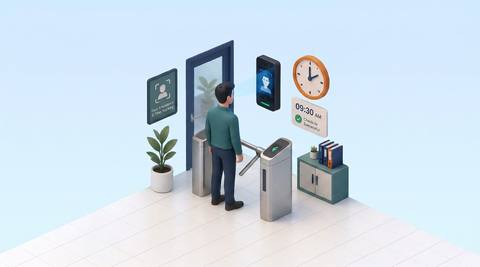
A camera capture may show a passage without proving whether it represents the start or end of work. Confirm employee association and doorway direction, then retain exceptions for re-entry, missed events and shared entrances.
Catalog workflow. Confirm detector availability, permitted use and event delivery for the proposed deployment. Website examples are illustrative.
Assess employee passage records
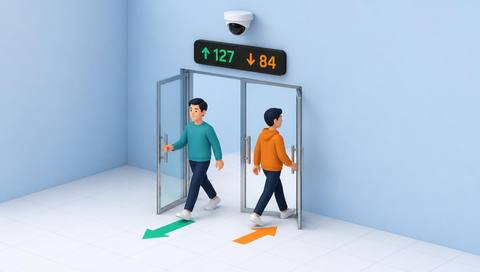
 Without IVISIONStandard CCTV feed
 With IVISIONIllustrative event overlay
The Process
Direction, identity and time all need validation Build clearer source records for attendance review.
01Define entry/exit points and clock settings.
 02
02Validate employee association and crossing direction.
 03
03Review timestamped records and uncertain matches.
 04
04Correct exceptions through the approved attendance process.
Explore Your Options
| Dimension |  Employee entry and exit registration and analysis Employee entry and exit registration and analysis |  Smart Attendance Smart Attendance |
|---|---|---|
| Observation |  An employee-associated crossing at a defined entry or exit. An employee-associated crossing at a defined entry or exit. | A timestamped capture linked or proposed to an employee. |
| Event criteria | Supported recognition and direction inputs produce an eligible passage record. | An arrival or departure observation enters the record flow. |
| Monitoring setup | Confirm point direction, employee source and duplicate handling. | Validate direction, shift boundaries and duplicate handling. |
| What it cannot establish | Cannot establish a work shift or permission solely from a passage. | Camera presence does not establish hours worked or productivity. |
| Practical outcome | Keep directional workforce records traceable to their source. | Reconcile questionable attendance entries before approval. |
Illustrative demonstration
Example footage and simulated events explain the review workflow. They do not measure detector performance.
 Sites overview
No matching events.
EXPLORE WHAT’S POSSIBLE
01 / 04 · EMPLOYEE ENTRY AND EXIT REGISTRATION AND ANALYSIS
A reversed camera orientation changes direction.
Example event: An arrival is labeled as an exit.
Operator response: Validate the boundary orientation.
Practical value: Protects directional records.
Discuss this capability02 / 04 · EMPLOYEE ENTRY AND EXIT REGISTRATION AND ANALYSIS
Staff leave briefly during the day.
Example event: Several entry/exit pairs occur.
Operator response: Apply the correct re-entry interpretation.
Practical value: Avoids false shift boundaries.
Discuss this capability03 / 04 · EMPLOYEE ENTRY AND EXIT REGISTRATION AND ANALYSIS
One entrance is not monitored.
Example event: A record lacks its matching passage.
Operator response: Check coverage and alternative evidence.
Practical value: Exposes incomplete accounting.
Discuss this capability04 / 04 · EMPLOYEE ENTRY AND EXIT REGISTRATION AND ANALYSIS
Cover the doorway on both sides.
Visibility: Groups can hide individual passages.
Configuration: Attendance records exist; recognition/direction input must be verified.
Privacy: Limit named passage history to approved purposes.
Human review: Confirm incomplete or disputed records.
Discuss this capabilityFrequently asked questions
Registers and reviews employee-associated passage events at defined arrival and departure points.
No. Work-time interpretation is separate.
Yes. Validate camera orientation and crossing logic.
They create gaps that must be accounted for.
The portal supports attendance review and employee association workflows.
Find your fit
Keep directional workforce records traceable to their source. For HR operations, Site-entry administrators.
Workflow to discuss
Employee entry and exit registration and analysis + Trace records to access points.
Discuss a camera view, a monitoring question and the review process your team needs.