Download IVISION Catalog
 01
01Prepare the view
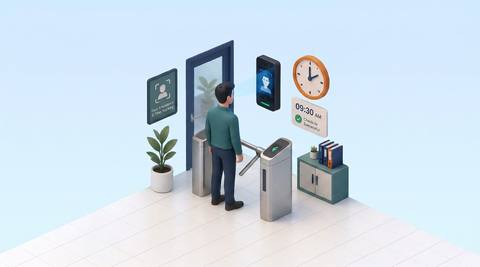
Validate employee association and capture timestamps.


Arrival and departure captures are inputs, not a complete record of work. Define breaks, overnight shifts, missing events and corrections before calculating a time summary, and keep payroll decisions subject to the approved HR process.
Catalog workflow. Confirm detector availability, permitted use and event delivery for the proposed deployment. Website examples are illustrative.
Discuss work-time rules
 Without IVISIONStandard CCTV feed
 With IVISIONIllustrative event overlay
The Process
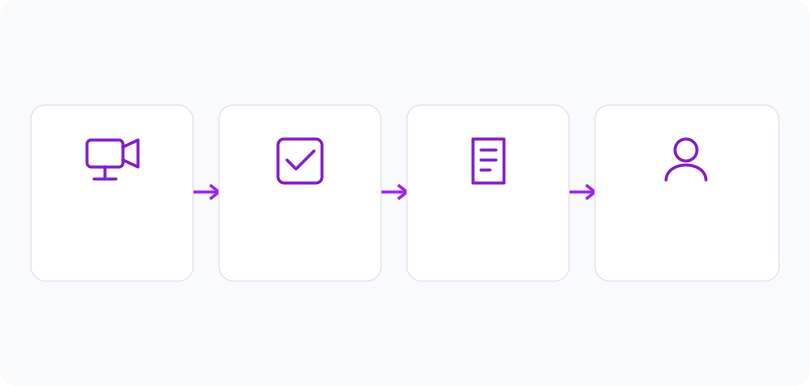
Presence intervals need business rules Resolve time exceptions before downstream use.
01Validate employee association and capture timestamps.
 02
02Confirm the calculation rules and treatment of incomplete pairs.
 03
03Review the proposed time summary with exception evidence.
 04
04Approve corrections before export to the payroll process.
Explore Your Options
| Dimension |  Employee working-time analysis Employee working-time analysis |  Smart Attendance Smart Attendance |
|---|---|---|
| Observation |  Recorded employee arrivals and departures used as time inputs. Recorded employee arrivals and departures used as time inputs. | A timestamped capture linked or proposed to an employee. |
| Event criteria | A configured calculation applies approved rules to eligible records. | An arrival or departure observation enters the record flow. |
| Monitoring setup | Confirm breaks, rounding, overnight dates and missing-punch handling. | Validate direction, shift boundaries and duplicate handling. |
| What it cannot establish | Cannot infer productive work from camera presence or calculate entitlement without policy. | Camera presence does not establish hours worked or productivity. |
| Practical outcome | Help HR reconcile recorded presence with contractual schedules. | Reconcile questionable attendance entries before approval. |
Illustrative demonstration
Example footage and simulated events explain the review workflow. They do not measure detector performance.
 Sites overview
No matching events.
EXPLORE WHAT’S POSSIBLE
01 / 04 · EMPLOYEE WORKING-TIME ANALYSIS
A shift spans two calendar dates.
Example event: Arrival and departure fall on different days.
Operator response: Apply the correct shift boundary.
Practical value: Avoids split-shift errors.
Discuss this capability02 / 04 · EMPLOYEE WORKING-TIME ANALYSIS
A lunch absence affects elapsed presence.
Example event: A long interval includes an unpaid break.
Operator response: Apply the agreed break rule.
Practical value: Keeps time interpretation consistent.
Discuss this capability03 / 04 · EMPLOYEE WORKING-TIME ANALYSIS
An exit capture is missing.
Example event: The calculated interval is incomplete.
Operator response: Request authorized correction.
Practical value: Prevents invented hours.
Discuss this capability04 / 04 · EMPLOYEE WORKING-TIME ANALYSIS
Use validated attendance entry points.
Visibility: Missed captures create incomplete intervals.
Configuration: Actual work-time calculation support and payroll integration need confirmation.
Privacy: Restrict employee time records to authorized HR roles.
Human review: Resolve disputes with staff and corroborating records.
Discuss this capabilityFrequently asked questions
Interprets approved attendance timestamps under agreed work-time rules to support a reviewable time summary.
No. Approved breaks and employment rules determine interpretation.
Flag the exception rather than inventing an end time.
They require verified shift-boundary rules.
No. Time records do not measure work output.
Find your fit
Help HR reconcile recorded presence with contractual schedules. For HR administrators, Payroll reviewers.
Workflow to discuss
Employee working-time analysis + Make calculation rules explicit.
Discuss a camera view, a monitoring question and the review process your team needs.