
 Download IVISION Catalog
 01
01Prepare the view
Define the authorized subject or criteria and period.


A record search may use employee identifiers, event filters or a separately validated visual method. Specify which is available, then review source evidence; matching results are not proof of identity or complete activity history.
Catalog workflow. Confirm detector availability, permitted use and event delivery for the proposed deployment. Website examples are illustrative.
Assess person-search scope

 Without IVISIONStandard CCTV feed
 With IVISIONIllustrative event overlay
The Process
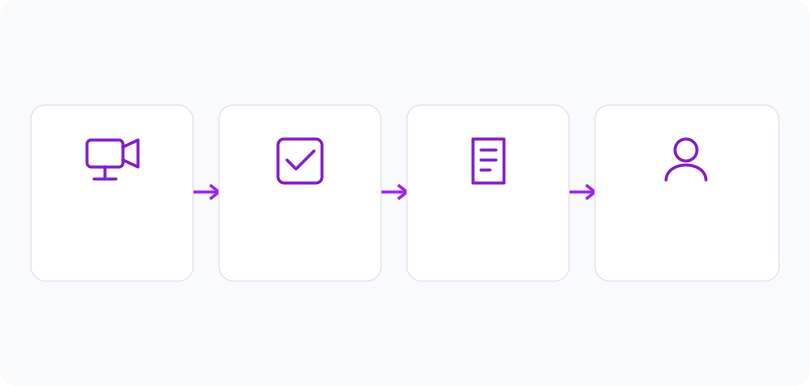
Start with the permitted question and time window Focus investigations on relevant retained evidence.
01Define the authorized subject or criteria and period.
 02
02Confirm the supported search method and data sources.
 03
03Review candidate records against original evidence.
 04
04Document relevant findings and avoid retaining unrelated results.
Explore Your Options
| Dimension |  Historical person and employee search Historical person and employee search |  Smart Attendance Smart Attendance |
|---|---|---|
| Observation |  Retained records matching approved person-related criteria. Retained records matching approved person-related criteria. | A timestamped capture linked or proposed to an employee. |
| Event criteria | A supported query retrieves candidate observations in scope. | An arrival or departure observation enters the record flow. |
| Monitoring setup | Confirm identifiers, cameras, dates, permissions and retention. | Validate direction, shift boundaries and duplicate handling. |
| What it cannot establish | Cannot retrieve deleted evidence or establish every movement. | Camera presence does not establish hours worked or productivity. |
| Practical outcome | Help investigators locate relevant records without searching unrelated history. | Reconcile questionable attendance entries before approval. |
Illustrative demonstration
Example footage and simulated events explain the review workflow. They do not measure detector performance.
 Sites overview
No matching events.
Tracking & MovementReview employee-associated attendance records.
Read More
 Tracking & Movement
Constrain queries by camera and time.
Read More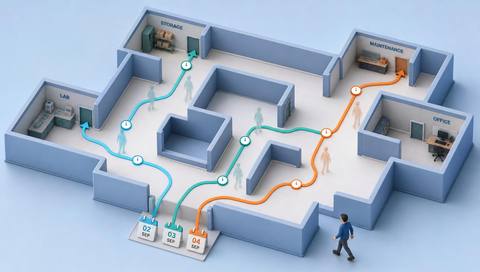 Tracking & Movement
Arrange verified sightings into a qualified sequence.
Read MoreEXPLORE WHAT’S POSSIBLE
01 / 04 · HISTORICAL PERSON AND EMPLOYEE SEARCH
An employee disputes a capture.
Example event: Identifier filters return candidate records.
Operator response: Check the source image and association.
Practical value: Supports record correction.
Discuss this capability02 / 04 · HISTORICAL PERSON AND EMPLOYEE SEARCH
Only one shift is relevant.
Example event: Person-related events appear in the selected interval.
Operator response: Verify permissions and context.
Practical value: Keeps review scoped.
Discuss this capability03 / 04 · HISTORICAL PERSON AND EMPLOYEE SEARCH
Some clips have expired.
Example event: A record is found without media.
Operator response: State the evidence limitation.
Practical value: Avoids unsupported conclusions.
Discuss this capability04 / 04 · HISTORICAL PERSON AND EMPLOYEE SEARCH
Search quality depends on original capture views.
Visibility: Occlusion may leave no usable observation.
Configuration: Portal record filters exist; generalized visual person search is unverified.
Privacy: Authorize searches and minimize unrelated personal history.
Human review: Verify candidate identity and completeness.
Discuss this capabilityFrequently asked questions
Searches retained person-related observations within an authorized scope using supported identifiers or criteria.
No. They use different inputs and require different implementations.
No missing media can be recovered by this workflow.
No. Coverage or detection may be incomplete.
Verify source evidence and association before drawing conclusions.
Find your fit
Help investigators locate relevant records without searching unrelated history. For Authorized security reviewers, HR record administrators.
Workflow to discuss
Historical person and employee search + Limit search scope.
Discuss a camera view, a monitoring question and the review process your team needs.





