
 Download IVISION Catalog
 01
01Prepare the view
Confirm the incident location, approximate time and covering cameras.


A reported incident often begins with a place and an approximate time. Camera and date filters help reviewers isolate relevant event records, then open available snapshots or clips. Location filtering depends on camera registration; filters cannot recover events that were never recorded.
Catalog workflow. Confirm detector availability, permitted use and event delivery for the proposed deployment. Website examples are illustrative.
Review your search workflow
 Without IVISIONStandard CCTV feed
 With IVISIONIllustrative event overlay
The Process
Give an investigation a clear scope. Concentrate review on records within the reported scope.
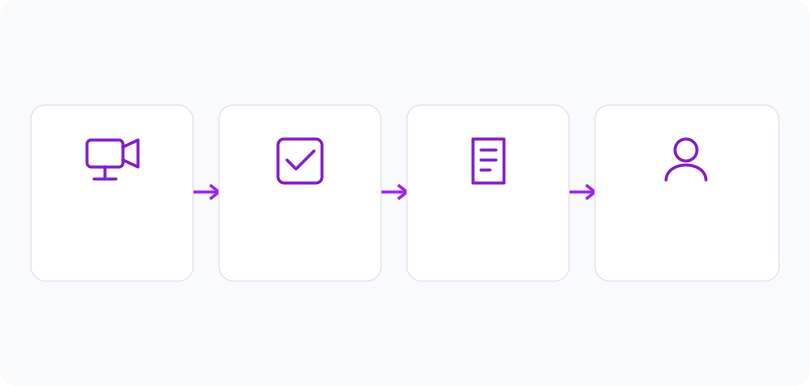
01Confirm the incident location, approximate time and covering cameras.
 02
02Apply available criteria, checking the time zone and access scope.
 03
03Inspect records and evidence; expand the window when initial details are uncertain.
 04
04Document the filters and findings without treating an empty list as proof of absence.
Explore Your Options
| Dimension |  Search by location, camera, date or time Search by location, camera, date or time |  Search for specific activities or incidents Search for specific activities or incidents |
|---|---|---|
| Observation |  An operator selects available event metadata rather than triggering new detection. An operator selects available event metadata rather than triggering new detection. | A stored event category or supported query matches the activity being investigated. |
| Event criteria | Apply permitted camera, location and time criteria to an accessible event collection. | Submit an available event type or supported query within a defined scope. |
| Monitoring setup | Use correct time zones, camera labels and permissions; widen uncertain intervals deliberately. | Use detector-specific definitions, known coverage and an agreed interval. |
| What it cannot establish | Metadata filters do not search the visual contents of arbitrary recordings or prove an event did not occur. | General visual activity search is not verified in the reviewed code. Incorrect labels and undetected events limit event-only searches. |
| Practical outcome | Begin an investigation with a manageable, explicitly defined set of records. | Investigate a specific observation before reviewing unrelated event categories. |
Illustrative demonstration
Example footage and simulated events explain the review workflow. They do not measure detector performance.
 Sites overview
No matching events.
Tracking & MovementAdd an activity criterion when supported event categories exist.
Read More Tracking & Movement
Check whether retained records still have accessible evidence.
Read MoreTracking & MovementMaintain the camera and location structure that supports useful filters.
Read MoreEXPLORE WHAT’S POSSIBLE
01 / 04 · SEARCH BY LOCATION, CAMERA, DATE OR TIME
A delivery discrepancy is reported for an afternoon.
Example event: Records match the entrance camera and interval.
Operator response: A reviewer compares clips with the delivery log.
Practical value: The investigation retains a reproducible scope.
Discuss this capability02 / 04 · SEARCH BY LOCATION, CAMERA, DATE OR TIME
Several cameras share similar informal names.
Example event: A record identifies its registered camera.
Operator response: The supervisor verifies the location before interpreting it.
Practical value: Viewpoint confusion is addressed during review.
Discuss this capability03 / 04 · SEARCH BY LOCATION, CAMERA, DATE OR TIME
A visitor gives an uncertain incident time.
Example event: The initial interval contains few relevant records.
Operator response: The operator broadens and documents the search interval.
Practical value: The investigation accounts for uncertainty in the report.
Discuss this capability04 / 04 · SEARCH BY LOCATION, CAMERA, DATE OR TIME
Name cameras for the physical areas they cover.
Visibility: Filtering cannot improve a blurred source clip.
Configuration: Require available metadata, correct timestamps and authorized access.
Privacy: Restrict access to the investigation purpose and retention policy.
Human review: A person interprets evidence and records coverage gaps.
Discuss this capabilityFrequently asked questions
Event filtering narrows accessible records by their camera, location and recorded time before an operator examines the evidence.
No. Metadata filtering selects existing records. Visual or semantic archive search requires a separate, confirmed service.
It may have no matching records, no event producer, missing data or restricted access.
That depends on camera-location structure and enabled filters. Confirm available fields during setup.
Check device clocks, event timestamps and interface time zones before reconstructing a sequence.
Find your fit
Begin an investigation with a manageable, explicitly defined set of records. For Security operators, Site administrators, Incident reviewers.
Workflow to discuss
Search by location, camera, date or time + Define a reproducible investigation scope.
Discuss a camera view, a monitoring question and the review process your team needs.





