
 Download IVISION Catalog
 01
01Prepare the view
Describe the observable incident and select relevant cameras and times.


A boundary crossing, stopped vehicle and unattended object require different evidence. Where the relevant detector and index are available, reviewers can narrow an investigation by activity, camera and time. Each match is a candidate for review, not a conclusion about intent or responsibility.
Catalog workflow. Confirm detector availability, permitted use and event delivery for the proposed deployment. Website examples are illustrative.
Discuss incident search
 Without IVISIONStandard CCTV feed
 With IVISIONIllustrative event overlay
The Process
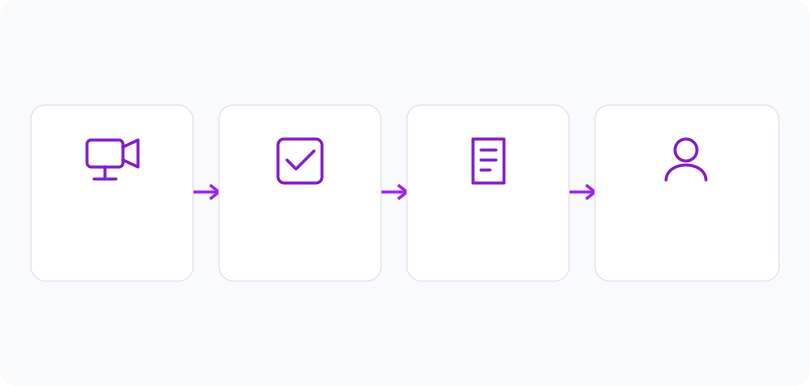
Use an explicit event definition. Connect the incident definition with supporting evidence.
01Describe the observable incident and select relevant cameras and times.
 02
02Use supported labels or a verified search service to retrieve candidates.
 03
03Review context before and after matches, including normal explanations.
 04
04Record reviewed findings and limits in coverage or available footage.
Explore Your Options
| Dimension |  Search for specific activities or incidents Search for specific activities or incidents |  Search by location, camera, date or time Search by location, camera, date or time |
|---|---|---|
| Observation |  A stored event category or supported query matches the activity being investigated. A stored event category or supported query matches the activity being investigated. | An operator selects available event metadata rather than triggering new detection. |
| Event criteria | Submit an available event type or supported query within a defined scope. | Apply permitted camera, location and time criteria to an accessible event collection. |
| Monitoring setup | Use detector-specific definitions, known coverage and an agreed interval. | Use correct time zones, camera labels and permissions; widen uncertain intervals deliberately. |
| What it cannot establish | General visual activity search is not verified in the reviewed code. Incorrect labels and undetected events limit event-only searches. | Metadata filters do not search the visual contents of arbitrary recordings or prove an event did not occur. |
| Practical outcome | Investigate a specific observation before reviewing unrelated event categories. | Begin an investigation with a manageable, explicitly defined set of records. |
Illustrative demonstration
Example footage and simulated events explain the review workflow. They do not measure detector performance.
 Sites overview
No matching events.
Tracking & MovementConstrain candidates to relevant cameras and times.
Read More Tracking & Movement
Assess support for a proposed conversational query.
Read MoreTracking & MovementVerify that candidate records link to usable evidence.
Read MoreEXPLORE WHAT’S POSSIBLE
01 / 04 · SEARCH FOR SPECIFIC ACTIVITIES OR INCIDENTS
A vehicle stop in a loading lane needs review.
Example event: A stopped-vehicle event falls within the interval.
Operator response: The reviewer checks the clip and planned loading.
Practical value: Authorized activity is considered before escalation.
Discuss this capability02 / 04 · SEARCH FOR SPECIFIC ACTIVITIES OR INCIDENTS
An unattended bag is reported after a busy period.
Example event: Object-event records match the camera and time.
Operator response: An operator reviews surrounding footage.
Practical value: The investigation focuses on visible object history.
Discuss this capability03 / 04 · SEARCH FOR SPECIFIC ACTIVITIES OR INCIDENTS
A crossing needs review after a shift change.
Example event: A boundary event appears in the selected records.
Operator response: Security checks gate schedules and movement.
Practical value: Access context informs the interpretation.
Discuss this capability04 / 04 · SEARCH FOR SPECIFIC ACTIVITIES OR INCIDENTS
Capture the whole event rather than only its final state.
Visibility: Activity interpretation needs visible objects and temporal context.
Configuration: Confirm producers, indexing, clip access and supported queries.
Privacy: Limit searches to authorized purposes; avoid unrestricted behavioral profiling.
Human review: Review alternative explanations and distinguish observation from intent.
Discuss this capabilityFrequently asked questions
Activity and incident search selects candidate records associated with a defined event type or supported visual-search query.
Only a confirmed service can establish supported queries. A conversational preview does not prove general video understanding.
No. Review the candidate evidence, rule settings and operational context.
An event-only index cannot return records it never received. Wider video review needs accessible recordings and a separate workflow.
Prefer observable actions, such as boundary crossing or object placement. Video alone does not determine guilt or policy consequences.
Find your fit
Investigate a specific observation before reviewing unrelated event categories. For Security investigators, Operations supervisors, Safety reviewers.
Workflow to discuss
Search for specific activities or incidents + Search using an observation relevant to the report.
Discuss a camera view, a monitoring question and the review process your team needs.





