
 Download IVISION Catalog
 01
01Prepare the view
Define the permitted question and relevant sources.


Natural-language video search was not verified in the portal; its camera conversation endpoint currently uses fixture responses. Any implementation must show interpreted criteria, supported data sources and reviewable results rather than implying that every question can be answered.
Catalog workflow. Confirm detector availability, permitted use and event delivery for the proposed deployment. Website examples are illustrative.
Assess natural-language search
 Without IVISIONStandard CCTV feed
 With IVISIONIllustrative event overlay
The Process
A fluent request is not proof of a supported query Keep search interpretation visible and testable.
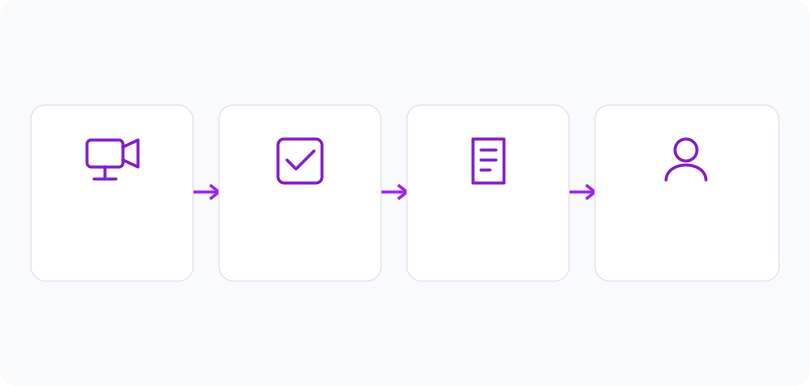
01Define the permitted question and relevant sources.
 02
02Review the interpreted filters before execution.
 03
03Inspect candidate results and their source evidence.
 04
04Refine the query or use explicit filters when interpretation is uncertain.
Explore Your Options
| Dimension |  Natural-language video search Natural-language video search |  Search by location, camera, date or time Search by location, camera, date or time |
|---|---|---|
| Observation |  A user’s authorized request mapped to available searchable fields or visual classes. A user’s authorized request mapped to available searchable fields or visual classes. | An operator selects available event metadata rather than triggering new detection. |
| Event criteria | A verified search service translates and executes supported criteria. | Apply permitted camera, location and time criteria to an accessible event collection. |
| Monitoring setup | Confirm vocabulary, time scope, permissions and unsupported-query handling. | Use correct time zones, camera labels and permissions; widen uncertain intervals deliberately. |
| What it cannot establish | Cannot infer intent, recover unseen events or guarantee semantic understanding. | Metadata filters do not search the visual contents of arbitrary recordings or prove an event did not occur. |
| Practical outcome | Help reviewers express a search question while checking how it is interpreted. | Begin an investigation with a manageable, explicitly defined set of records. |
Illustrative demonstration
Example footage and simulated events explain the review workflow. They do not measure detector performance.
 Sites overview
No matching events.
Tracking & MovementUse explicit metadata criteria.
Read More Tracking & Movement
Define supported event classes.
Read MoreTracking & MovementReview retained evidence returned by a query.
Read MoreEXPLORE WHAT’S POSSIBLE
01 / 04 · NATURAL-LANGUAGE VIDEO SEARCH
A request uses ambiguous route names.
Example event: The proposed query maps to the wrong area.
Operator response: Correct the area filter.
Practical value: Prevents scope errors.
Discuss this capability02 / 04 · NATURAL-LANGUAGE VIDEO SEARCH
A question includes an unclear time.
Example event: The interpretation selects a broad period.
Operator response: Set an explicit interval.
Practical value: Limits unrelated results.
Discuss this capability03 / 04 · NATURAL-LANGUAGE VIDEO SEARCH
The requested activity is unsupported.
Example event: No validated activity class exists.
Operator response: Use available event filters instead.
Practical value: Avoids fabricated answers.
Discuss this capability04 / 04 · NATURAL-LANGUAGE VIDEO SEARCH
Search depends on original camera coverage.
Visibility: Unobserved or unindexed conditions remain unavailable.
Configuration: No production natural-language video search was verified.
Privacy: Apply source permissions and purpose limits to every query.
Human review: Check both query interpretation and candidate evidence.
Discuss this capabilityFrequently asked questions
A proposed search workflow that turns a plain-language request into supported video or event criteria.
No. The inspected endpoint returns fixture responses.
Only supported fields or classes with available data.
No. Review original evidence and query scope.
Use explicit camera, date, type or other supported filters.
Find your fit
Help reviewers express a search question while checking how it is interpreted. For Authorized investigators, Operations reviewers.
Workflow to discuss
Natural-language video search + Expose interpreted criteria.
Discuss a camera view, a monitoring question and the review process your team needs.





