Download IVISION Catalog
 01
01Prepare the view
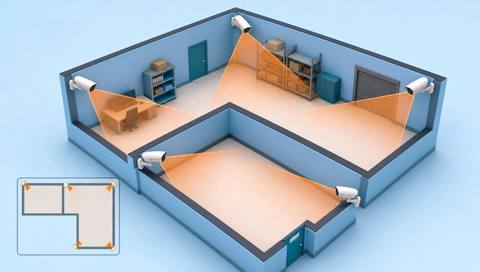
Survey the boundary and camera visibility.


Perimeter monitoring requires visible boundaries, validated object classes and clear exceptions for staff, deliveries or maintenance. The portal supports incoming intrusion records and clip review; the external detection provider and delivery workflow still need confirmation.
Catalog workflow. Confirm detector availability, permitted use and event delivery for the proposed deployment. Website examples are illustrative.
Assess perimeter coverage
 Without IVISIONStandard CCTV feed
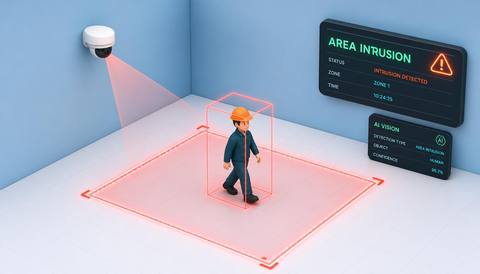
 With IVISIONIllustrative event overlay
The Process
A boundary event is not proof of hostile intent Bring source evidence to perimeter checks.
01Survey the boundary and camera visibility.
 02
02Validate the external crossing detector and event format.
 03
03Review incoming event time, location and available clip.
 04
04Check authorized activity and follow the site security procedure.
Explore Your Options
| Dimension |  Perimeter intrusion detection Perimeter intrusion detection |  Area Intrusion Area Intrusion |
|---|---|---|
| Observation |  A supported person or vehicle crossing the configured perimeter boundary. A supported person or vehicle crossing the configured perimeter boundary. | A supported object moving across a defined entry boundary. |
| Event criteria | The connected detector reports a qualifying crossing. | The validated direction or entry condition is met. |
| Monitoring setup | Confirm boundary geometry, direction, schedule and authorized access. | Confirm object classes, boundary position and relevant operating periods. |
| What it cannot establish | Cannot see through barriers or establish intent and permission from motion alone. | A crossing does not prove criminal intent or establish access permission. |
| Practical outcome | Help security review specific perimeter events with camera evidence. | Help security teams review where and when a boundary was crossed. |
Illustrative demonstration
Example footage and simulated events explain the review workflow. They do not measure detector performance.
 Sites overview
No matching events.
EXPLORE WHAT’S POSSIBLE
01 / 04 · PERIMETER INTRUSION DETECTION
Maintenance crosses outside normal hours.
Example event: A perimeter event is recorded.
Operator response: Verify the work authorization.
Practical value: Distinguishes planned access.
Discuss this capability02 / 04 · PERIMETER INTRUSION DETECTION
Vehicles obscure part of the boundary.
Example event: A partial crossing candidate appears.
Operator response: Inspect available footage and the site.
Practical value: Clarifies incomplete evidence.
Discuss this capability03 / 04 · PERIMETER INTRUSION DETECTION
Gate direction matters.
Example event: An event shows movement across the line.
Operator response: Confirm entry versus exit.
Practical value: Supports precise response.
Discuss this capability04 / 04 · PERIMETER INTRUSION DETECTION
Cover the actual crossing edge and approach.
Visibility: Vegetation, darkness and vehicles reduce visibility.
Configuration: Verify external inference, clip source and delivery.
Privacy: Limit perimeter records to security purposes.
Human review: Confirm event and authorization before escalation.
Discuss this capabilityFrequently asked questions
Flags a supported boundary-crossing observation at a defined site perimeter.
The reviewed portal receives intrusion rows from an external AI engine.
Availability depends on recording, storage and retention.
Yes. Validate representative conditions.
No. Check authorization and context.
Find your fit
Help security review specific perimeter events with camera evidence. For Perimeter security teams, Facility managers.
Workflow to discuss
Perimeter intrusion detection + Review specific boundary events.
Discuss a camera view, a monitoring question and the review process your team needs.