
 Download IVISION Catalog
 01
01Prepare the view
Choose a facilities question and exclude private or inappropriate monitoring areas.


Shared desks, corridors and support areas serve different purposes. A confirmed mapping workflow can summarize their visible use over a defined period, helping teams investigate layouts and circulation. Quiet areas may support valuable work; a camera-based activity map cannot measure effort, output or individual performance.
Catalog workflow. Confirm detector availability, permitted use and event delivery for the proposed deployment. Website examples are illustrative.
Review workplace mapping
 Without IVISIONStandard CCTV feed
 With IVISIONIllustrative event overlay
The Process
Plan space around observable use. Support space planning with a clearly bounded observation.
01Choose a facilities question and exclude private or inappropriate monitoring areas.
 02
02Validate the selected visual measure across representative working patterns.
 03
03Review comparable periods while noting meetings, shifts and occupancy changes.
 04
04Use the findings to discuss space changes with operational stakeholders.
Explore Your Options
| Dimension |  Workplace-activity maps Workplace-activity maps |  Workspace utilization analysis Workspace utilization analysis |
|---|---|---|
| Observation |  Observed presence or movement accumulates within configured workplace areas. Observed presence or movement accumulates within configured workplace areas. | Occupancy or usage duration within defined workspace regions. |
| Event criteria | Aggregate a confirmed visual measure across a specified interval. | Supported aggregation summarizes the selected usage metric over time. |
| Monitoring setup | Define included areas, operating periods, exclusions and whether the measure is movement or occupancy. | Confirm space type, measurement period and coverage. |
| What it cannot establish | Off-camera work, stationary people, obscured areas and different task types limit interpretation. Map availability requires confirmation. | Cannot measure employee productivity or explain preferences by itself. |
| Practical outcome | Understand where workplace space is used without equating visible activity with employee productivity. | Help planners test whether space provision matches observed demand. |
Illustrative demonstration
Example footage and simulated events explain the review workflow. They do not measure detector performance.
 Sites overview
No matching events.
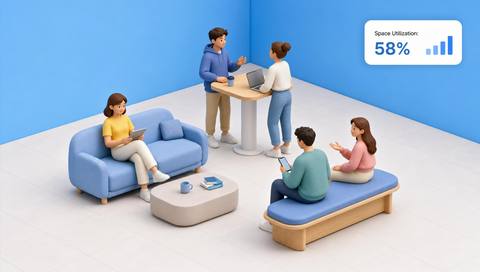
People CountingAssess use of defined spaces alongside movement.
Read More
 People Counting
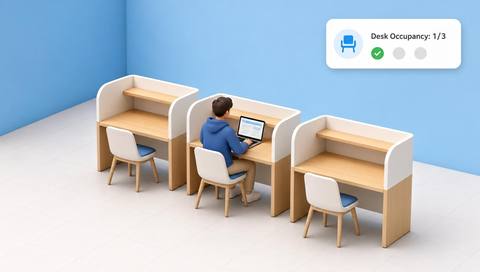
Examine desk presence with its own visibility limits.
Read More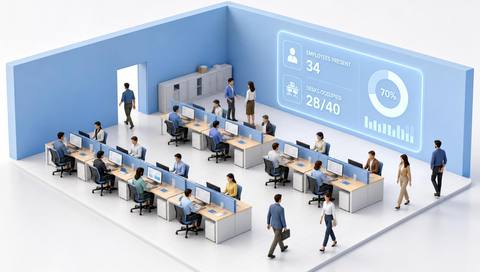 People Counting
Distinguish an employee-specific proposal from aggregate workplace planning.
Read MoreEXPLORE WHAT’S POSSIBLE
01 / 04 · WORKPLACE-ACTIVITY MAPS
Teams disagree about whether a circulation route is underused.
Example event: Movement observations remain concentrated on the alternative route.
Operator response: Facilities staff inspect barriers and signage.
Practical value: The discussion focuses on access and layout.
Discuss this capability02 / 04 · WORKPLACE-ACTIVITY MAPS
Equipment placement may create repeated crossing movements.
Example event: Activity clusters at a narrow shared preparation point.
Operator response: The laboratory manager reviews task sequences and proposes a layout trial.
Practical value: Movement evidence supports a practical workspace review.
Discuss this capability03 / 04 · WORKPLACE-ACTIVITY MAPS
Break-time movement overlaps with a service route.
Example event: Comparable break intervals show concentrated passage activity.
Operator response: Operations coordinates break access and route arrangements.
Practical value: The shared-space issue is examined without ranking workers.
Discuss this capability04 / 04 · WORKPLACE-ACTIVITY MAPS
Cover the relevant shared floor area without including private spaces.
Visibility: Stationary presence may require a different measure from movement.
Configuration: Confirm aggregation support, schedules and camera coverage before selecting metrics.
Privacy: Use aggregate reporting with purpose limits and appropriate workforce notice.
Human review: Never use map intensity alone to assess individual work performance.
Discuss this capabilityFrequently asked questions
Workplace-activity mapping aggregates observable movement or presence across defined work areas for space and circulation review.
No. Focused, stationary or off-camera work may generate little visible movement.
Identity is unnecessary for aggregate space planning and should not be added without a separate justified requirement.
Account for staffing, task mix, duration, schedules and coverage before comparing their maps.
Exclude areas where monitoring is inappropriate or unauthorized. Establish the permitted scope before configuration.
Find your fit
Understand where workplace space is used without equating visible activity with employee productivity. For Workplace planners, Facilities managers, Operations coordinators.
Workflow to discuss
Workplace-activity maps + Review the use of shared workplace areas.
Discuss a camera view, a monitoring question and the review process your team needs.





