
 Download IVISION Catalog
 01
01Prepare the view
Select the camera and identify its enabled measurements and event producers.


A count, zone event or movement trace is easier to assess when its camera, timestamp and configured area are visible. The analytical view depends on enabled event and measurement sources; playing a camera stream does not activate analytics. Confirm which overlays and measurements are available for each camera.
Catalog workflow. Confirm detector availability, permitted use and event delivery for the proposed deployment. Website examples are illustrative.
Review a camera analytics view
 Without IVISIONStandard CCTV feed
 With IVISIONIllustrative event overlay
The Process
See the observation in its physical context. Review a result with its source, time and coverage visible.
01Select the camera and identify its enabled measurements and event producers.
 02
02Check alignment between configured zones, the image and observation timestamps.
 03
03Review measurements against visible context and identify stale or unsupported data.
 04
04Record a reviewed finding or adjust configuration through an authorized workflow.
Explore Your Options
| Dimension |  Camera-based analytical views Camera-based analytical views |  Custom rules for each area, camera or time period Custom rules for each area, camera or time period |
|---|---|---|
| Observation |  A supported measurement or event is associated with a particular camera and observation time. A supported measurement or event is associated with a particular camera and observation time. | A saved zone and its selected monitoring conditions. |
| Event criteria | An operator opens a camera view with confirmed data sources and permitted overlays. | An authorized user configures geometry, active time and relevant criteria. |
| Monitoring setup | Label metric type, observation time, zone geometry, confidence where relevant and data freshness. | Validate shape, aspect ratio, schedule and feature support. |
| What it cannot establish | Displayed overlays are interpretations, not ground truth. Current images and older event annotations must not be presented as the same moment. | Saving a rule does not prove detection or notification execution. |
| Practical outcome | Help reviewers understand what a measurement refers to before using it in an operational decision. | Help administrators align configuration with the physical site. |
Illustrative demonstration
Example footage and simulated events explain the review workflow. They do not measure detector performance.
 Sites overview
No matching events.
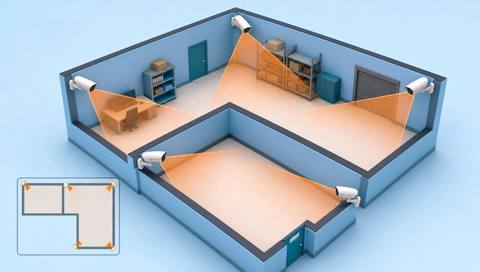 Tracking & Movement
Define the areas and conditions that give an annotation meaning.
Read More Tracking & Movement
Find related records from the same camera and period.
Read More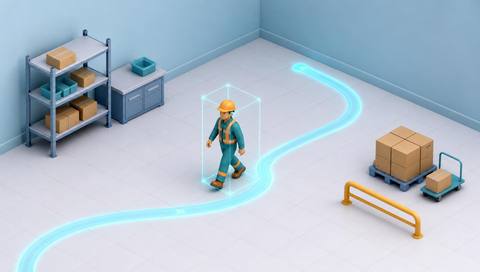 Tracking & Movement
Assess the freshness and source of movement overlays.
Read MoreEXPLORE WHAT’S POSSIBLE
01 / 04 · CAMERA-BASED ANALYTICAL VIEWS
A door count looks inconsistent with observed use.
Example event: The analytical view identifies the counting line and source interval.
Operator response: The operator checks direction and occlusion around the line.
Practical value: The review can focus on the relevant configuration.
Discuss this capability02 / 04 · CAMERA-BASED ANALYTICAL VIEWS
A boundary event requires a quick contextual check.
Example event: The event identifies its camera, zone and timestamp.
Operator response: The supervisor opens matching evidence and checks normal access activity.
Practical value: The annotation is interpreted against the correct scene.
Discuss this capability03 / 04 · CAMERA-BASED ANALYTICAL VIEWS
The live image continues while measurements stop updating.
Example event: The view identifies an old observation timestamp.
Operator response: The operator treats the analytics as stale and checks the data source.
Practical value: Live playback is not confused with healthy analytics.
Discuss this capability04 / 04 · CAMERA-BASED ANALYTICAL VIEWS
Preserve camera orientation and check overlays after any physical repositioning.
Visibility: Annotations cannot compensate for poor visibility or missing scene detail.
Configuration: Confirm available data producers, image access, timestamps and supported overlays.
Privacy: Apply camera and event access permissions consistently in the combined view.
Human review: Review the corresponding evidence before acting on an overlay or score.
Discuss this capabilityFrequently asked questions
A camera-based analytical view places supported measurements and event context alongside the relevant camera image.
No. Stream access and analytical processing are separate. Confirm the sources enabled for each camera.
They should be clearly tied to an observation time. An old event must not appear to describe a newer image without that distinction.
That depends on enabled configuration workflows and permissions. Confirm the supported controls for the deployment.
No. A model score is not a measured site-level accuracy rate and still requires appropriate review.
Find your fit
Help reviewers understand what a measurement refers to before using it in an operational decision. For Site operators, Analytics administrators, Security supervisors.
Workflow to discuss
Camera-based analytical views + Connect measurements to their source view.
Discuss a camera view, a monitoring question and the review process your team needs.





