
 Download IVISION Catalog
 01
01Prepare the view
Identify who owns the event response and which channel is appropriate for the severity.


An event on a dashboard and a message delivered to a phone are different outcomes. The portal can store rule targets, channel selections and message templates, but those settings do not prove outbound delivery. Confirm each proposed dashboard, mobile, email, SMS, API or messaging integration and test its failure handling.
Catalog workflow. Confirm detector availability, permitted use and event delivery for the proposed deployment. Website examples are illustrative.
Review notification requirements
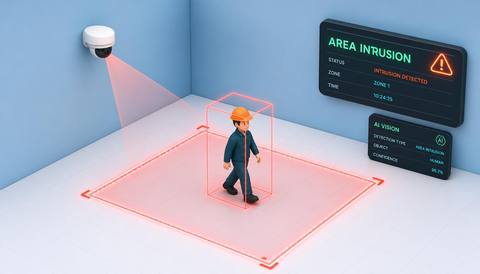
 Without IVISIONStandard CCTV feed
 With IVISIONIllustrative event overlay
The Process
Confirm delivery before relying on a channel. Build a response plan around channels that have been demonstrated to work.
01Identify who owns the event response and which channel is appropriate for the severity.
 02
02Configure supported conditions, recipients and message content without exposing unnecessary personal data.
 03
03Test actual delivery, duplicate handling and service failures for each proposed channel.
 04
04Document acknowledgement and escalation responsibilities, then periodically retest the workflow.
Explore Your Options
| Dimension |  Notifications through dashboards, mobile applications, email, SMS, APIs or messaging platforms Notifications through dashboards, mobile applications, email, SMS, APIs or messaging platforms |  Custom rules for each area, camera or time period Custom rules for each area, camera or time period |
|---|---|---|
| Observation |  A supported event meets the conditions of a configured response rule. A supported event meets the conditions of a configured response rule. | A saved zone and its selected monitoring conditions. |
| Event criteria | A connected rule evaluator and delivery service must execute the intended response. | An authorized user configures geometry, active time and relevant criteria. |
| Monitoring setup | Define recipients, schedules, severity, message content, rate limits and acknowledgement responsibilities. | Validate shape, aspect ratio, schedule and feature support. |
| What it cannot establish | Outbound delivery is not verified in the reviewed source. Restricted-zone SMS is marked as coming soon; channel labels are not availability guarantees. | Saving a rule does not prove detection or notification execution. |
| Practical outcome | Match an operational event to an appropriate recipient and response path. | Help administrators align configuration with the physical site. |
Illustrative demonstration
Example footage and simulated events explain the review workflow. They do not measure detector performance.
 Sites overview
No matching events.
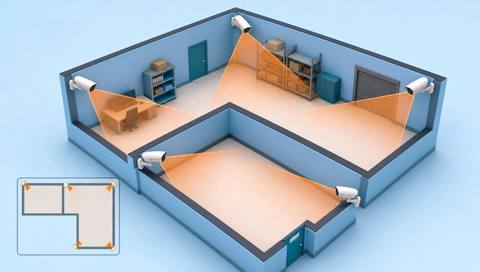 Area Monitoring
Define the observation conditions that could initiate a response.
Read More Area Monitoring
Review the underlying boundary event before planning its notification.
Read More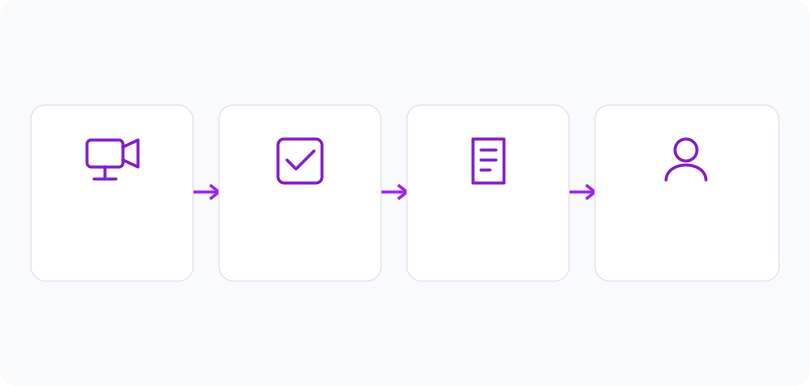 Area Monitoring
Organize the site and camera context needed by recipients.
Read MoreEXPLORE WHAT’S POSSIBLE
01 / 04 · NOTIFICATIONS THROUGH DASHBOARDS, MOBILE APPLICATIONS, EMAIL, SMS, APIS OR MESSAGING PLATFORMS
A small security team needs a defined response to a reviewed boundary event.
Example event: The configured event condition is met during the selected schedule.
Operator response: A tested channel routes the message to the assigned responder.
Practical value: Ownership is explicit rather than assumed from a dashboard alert.
Discuss this capability02 / 04 · NOTIFICATIONS THROUGH DASHBOARDS, MOBILE APPLICATIONS, EMAIL, SMS, APIS OR MESSAGING PLATFORMS
Routine observations could overwhelm the team if every event is urgent.
Example event: A lower-severity condition generates a configured response candidate.
Operator response: The administrator validates grouping and recipient rules before enabling delivery.
Practical value: The response plan distinguishes operational priorities.
Discuss this capability03 / 04 · NOTIFICATIONS THROUGH DASHBOARDS, MOBILE APPLICATIONS, EMAIL, SMS, APIS OR MESSAGING PLATFORMS
An integration outage could interrupt message delivery.
Example event: A test event does not arrive through the proposed channel.
Operator response: The team investigates delivery and uses its established backup procedure.
Practical value: The workflow is not treated as reliable until end-to-end testing succeeds.
Discuss this capability04 / 04 · NOTIFICATIONS THROUGH DASHBOARDS, MOBILE APPLICATIONS, EMAIL, SMS, APIS OR MESSAGING PLATFORMS
Notification quality begins with the source event and its camera context.
Visibility: A message may need an event reference rather than unrestricted image distribution.
Configuration: Require an event producer, rule evaluator, delivery provider, recipient configuration and tested credentials.
Privacy: Minimize personal data in messages and restrict links to authorized recipients.
Human review: A delivered message does not prove that anyone saw, acknowledged or acted on it.
Discuss this capabilityFrequently asked questions
Notification-channel configuration defines where an event response should be delivered, subject to a connected and tested delivery service.
No such claim is made. Confirm each integration for the deployment; the inspected restricted-zone SMS option is marked as coming soon.
Not by itself. An evaluator and connected delivery service must execute it successfully.
That depends on the integration and access policy. Prefer controlled evidence links when appropriate and verify recipient authorization.
No. Use established emergency procedures and independently validated communication arrangements for time-critical incidents.
Find your fit
Match an operational event to an appropriate recipient and response path. For Security operations managers, Site administrators, Incident response coordinators.
Workflow to discuss
Notifications through dashboards, mobile applications, email, SMS, APIs or messaging platforms + Assign an explicit response owner.
Discuss a camera view, a monitoring question and the review process your team needs.





