
 Download IVISION Catalog
 01
01Prepare the view
Choose the measure and explain the operational question it can answer.


The same red area can represent movement frequency, dwell or occupancy depending on the configuration. A useful intensity view names its measure, interval and normalization. Confirm the aggregation service and use consistent scales when comparing areas; neither high nor low activity is inherently good or bad.
Catalog workflow. Confirm detector availability, permitted use and event delivery for the proposed deployment. Website examples are illustrative.
Define an activity view
 Without IVISIONStandard CCTV feed
 With IVISIONIllustrative event overlay
The Process
Define the measure before reading the colors. Turn a visual pattern into a specific, reviewable observation.
01Choose the measure and explain the operational question it can answer.
 02
02Validate collection and define handling for missing or unreliable observations.
 03
03Compare areas using the same period and an appropriate shared scale.
 04
04Inspect the underlying context before acting on a high or low intensity region.
Explore Your Options
| Dimension |  High-activity and low-activity area visualization High-activity and low-activity area visualization |  Historical movement heatmaps Historical movement heatmaps |
|---|---|---|
| Observation |  A supported visual measure falls into configured intensity ranges for each area. A supported visual measure falls into configured intensity ranges for each area. | Retained movement or dwell observations produce a spatial summary for a selected interval. |
| Event criteria | Aggregate observations over a selected interval and apply a defined scale. | Select periods with available, compatible observations and a confirmed aggregation method. |
| Monitoring setup | State units, duration, normalization, coverage and whether the scale is fixed or relative. | Keep units, area definitions, normalization and scales consistent; identify gaps and camera changes. |
| What it cannot establish | Relative colors can exaggerate small differences. Missing observations must not be displayed as confirmed zero activity. | A historical map cannot be recreated from missing observations without a supported reprocessing service. Color changes do not establish causation. |
| Practical outcome | Make high and low observed activity comparable without hiding what the color scale represents. | Review how observed use changes over time using consistent definitions and coverage. |
Illustrative demonstration
Example footage and simulated events explain the review workflow. They do not measure detector performance.
 Sites overview
No matching events.
Tracking & MovementUse consistent intensity definitions when comparing periods.
Read More
 Tracking & Movement
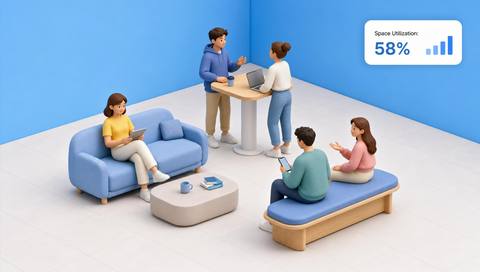
Apply area-level measures to a workplace planning question.
Read More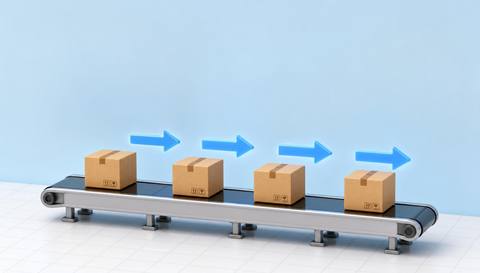 Tracking & Movement
Interpret intensity alongside production operating states.
Read MoreEXPLORE WHAT’S POSSIBLE
01 / 04 · HIGH-ACTIVITY AND LOW-ACTIVITY AREA VISUALIZATION
A team compares quiet and busy aisles.
Example event: A fixed-scale view shows different movement levels.
Operator response: Staff check promotions and camera coverage.
Practical value: The comparison has a known measurement basis.
Discuss this capability02 / 04 · HIGH-ACTIVITY AND LOW-ACTIVITY AREA VISUALIZATION
A room appears inactive during an interval.
Example event: The view contains no reliable observations because its source was unavailable.
Operator response: The analyst marks the period as missing data.
Practical value: A camera outage is not mistaken for unused space.
Discuss this capability03 / 04 · HIGH-ACTIVITY AND LOW-ACTIVITY AREA VISUALIZATION
Two shifts have different durations.
Example event: Raw accumulated movement differs across shifts.
Operator response: The engineer checks duration and uses an appropriate normalized comparison.
Practical value: A longer observation period does not automatically appear busier.
Discuss this capability04 / 04 · HIGH-ACTIVITY AND LOW-ACTIVITY AREA VISUALIZATION
Keep viewpoint and area boundaries stable for meaningful comparisons.
Visibility: Occlusion and perspective affect the amount of observable activity.
Configuration: Require a defined metric, aggregation method and data-quality indicators.
Privacy: Use the least identifying data needed for area-level analysis.
Human review: Review color changes against the underlying measure and site conditions.
Discuss this capabilityFrequently asked questions
Activity-intensity visualization displays relative levels of a defined visual measure across configured areas and time windows.
Its meaning depends on the selected measure and scale. The view should state both explicitly.
Not reliably from color alone. Their maximum values may differ; compare numeric context or use a shared scale.
No. A missing source, hidden person or unsupported measure can produce no observations.
That requires a separately configured and tested rule with a meaningful threshold, schedule and missing-data handling.
Find your fit
Make high and low observed activity comparable without hiding what the color scale represents. For Operations analysts, Facilities teams, Site planners.
Workflow to discuss
High-activity and low-activity area visualization + Explain the meaning of visual intensity.
Discuss a camera view, a monitoring question and the review process your team needs.





