





Operational visibility
Keep monitoring tied to justified site tasks.

Children’s privacy, changing supervision arrangements and crowded transitions make context and restricted access essential.
Explore use casesFind your environment
Choose an environment to see the challenges, actions,
and outcomes that matter there.
Use school cameras only for clearly justified site-management purposes with child-specific safeguards. Appropriate entrance, route and facilities observations can support trained staff without labeling pupils or predicting behavior.

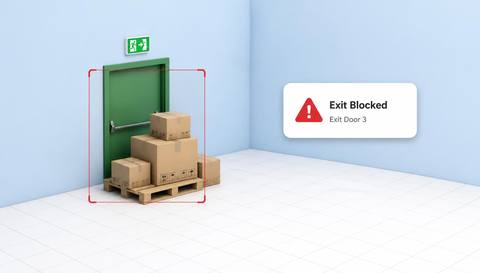 Illustrative observation
 with IVISIONIllustrative overlay
What can Vision AI help you monitor?
Keep monitoring tied to justified site tasks.

Support route and service-area checks.

Preserve trained staff judgment.
Children’s privacy, changing supervision arrangements and crowded transitions make context and restricted access essential.
Define permitted views and responsible school staff.
Include arrivals, breaks and supervised activities.
Use established safeguarding and facilities procedures.
Temporary equipment narrows access.
Observation: A candidate obstruction appears.
Response: Staff inspect and restore approved clearance.
Value: Support usable routes.
Deliveries share a controlled boundary.
Observation: Presence appears in the defined zone.
Response: Verify delivery or maintenance authorization.
Value: Focus a site-access check.
Event furniture changes the layout.
Observation: A visible blockage is flagged.
Response: Complete a physical access inspection.
Value: Support event preparation.
Camera view: Exclude toilets, changing areas and private support spaces.
Validation: Test rules during representative pupil movement without identity profiling.
Privacy: Use child-appropriate notice, strict access and limited retention.
Human review: School safeguarding and facilities staff interpret observations.
No. These workflows must not label children or infer misconduct from appearance.
No. Staff supervision and safeguarding procedures remain essential.
No. Movement or appearance does not establish intent.
Access must follow the school’s controlled privacy and safeguarding process.
See it in action
Illustrative observationReviews objects occupying a defined emergency-exit approach or clearance region.
Scenario selector
Review possible obstruction at an agreed exit approach.

Check objects occupying shared circulation routes.
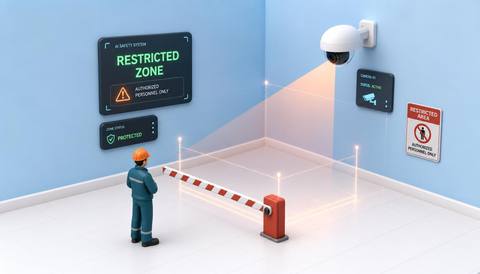
Review presence in a defined service area away from normal pupil activity.
Fit with your environment
Industrial district
No events match this filter.
Use case finder
Tell us about your environment, priority, and cameras. We’ll shape a practical starting point in three steps.
Question 1 of 3
Prefer to look around first? See every use case we offer

Discuss a camera view, a monitoring question and the review process your team needs.
 Sites overview
 3 illustrative sites